

Get ready to start building: The ESPHome Starter Kit is here!
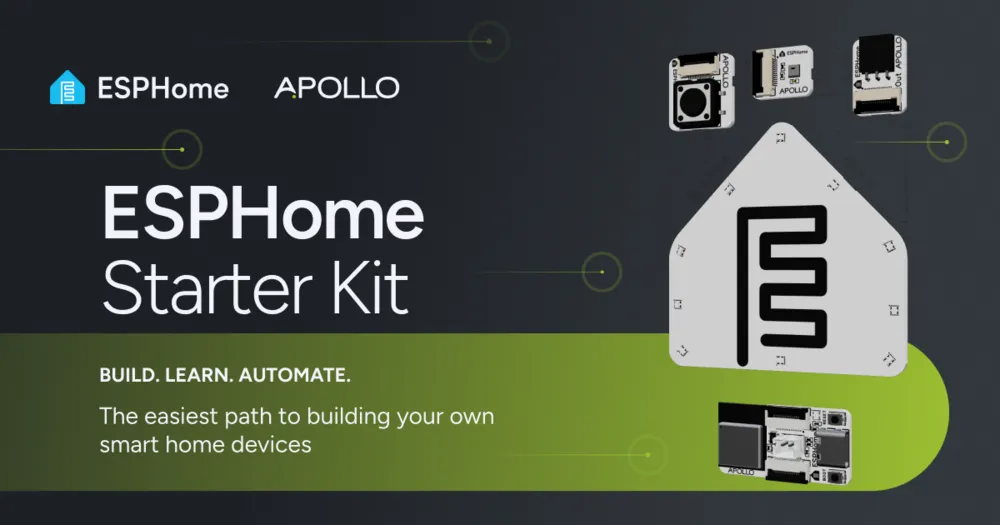

Back in April during State of the Open Home 2026, we gave you a sneak peek of ESPHome’s very first official product… And after months of hard work alongside the community, the ESPHome Starter Kit is here! 🎉
Designed and produced by Apollo Automation, the Open Home Foundation’s second commercial partner, the kit is the easiest way to start building your own smart home devices. Affordable and packed with all the components you need, the Starter Kit invites everyone, not just seasoned tinkerers, to begin building.
Time to start creating
Section titled “Time to start creating”Ever wanted to build your own smart home device, but didn’t know where to begin? Between chips, pins, soldering irons, and breadboards – sourcing the right hardware can stop a project getting off the ground. Not to mention time spent ensuring the parts are compatible, and working out how to wire them together.
That’s where the Starter Kit comes in. With no soldering, breadboarding, or coding experience needed, the kit equips you with all you need to stop just using smart home tech, and start creating it.
Buy nowWhat’s in the box?
Section titled “What’s in the box?”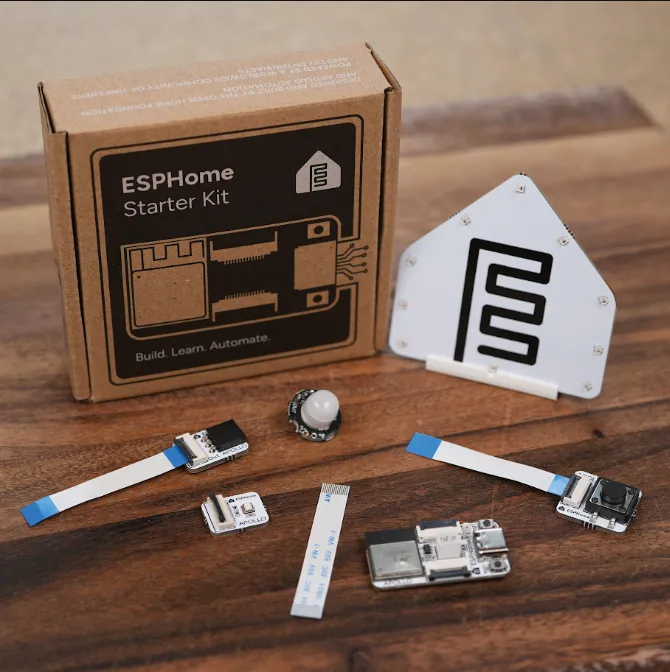
The ESPHome Starter Kit arrives with four modules to build with:
- Motion sensor – to detect movement, making a perfect first automation
- Temperature and humidity sensor – to reliably track a room’s comfort level
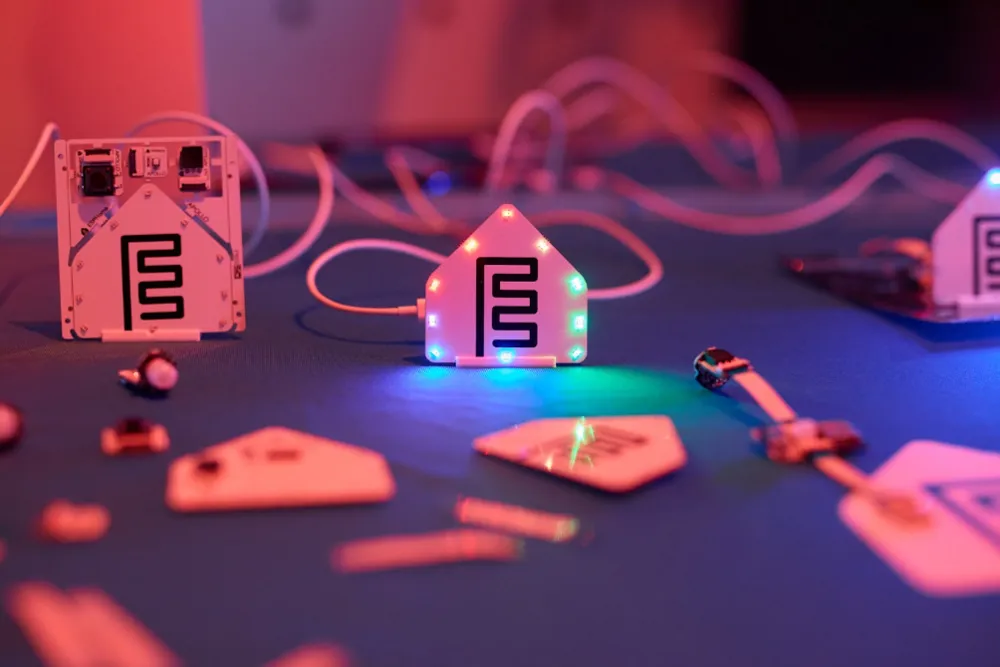
- Notification module – to provide alerts via a buzzer and ten individually controllable RGB LEDs that glow through the ESPHome logo
- Button module – to trigger any automation you like
Powering it all is an ESP32-C6 microcontroller, which, for anyone new to electronics, is the programmable chip that acts as the “brain” of your project. ESPHome builds the software that runs on this chip, letting it control the four modules and talk to Home Assistant or any other smart home platform that supports it.
You’ll also find everything you need to put it all together: the flat ribbon cables that connect each module to the board (with a spare in the box, so you’re covered if one goes astray), and a stand to show off the notification module and its glowing ESPHome logo. It runs on a standard USB-C cable, and uses the same open standards as the rest of your smart home, so there’s nothing special to buy before you get started: it works with your existing Home Assistant setup straight out of the box.
Snap into action
Section titled “Snap into action”The kit arrives with a snap-apart panel, with each module attached by small breakaway tabs. Instead of soldering joints and wiring breadboards, you simply snap a module off the panel and connect it to the main board via the flat ribbon cable.
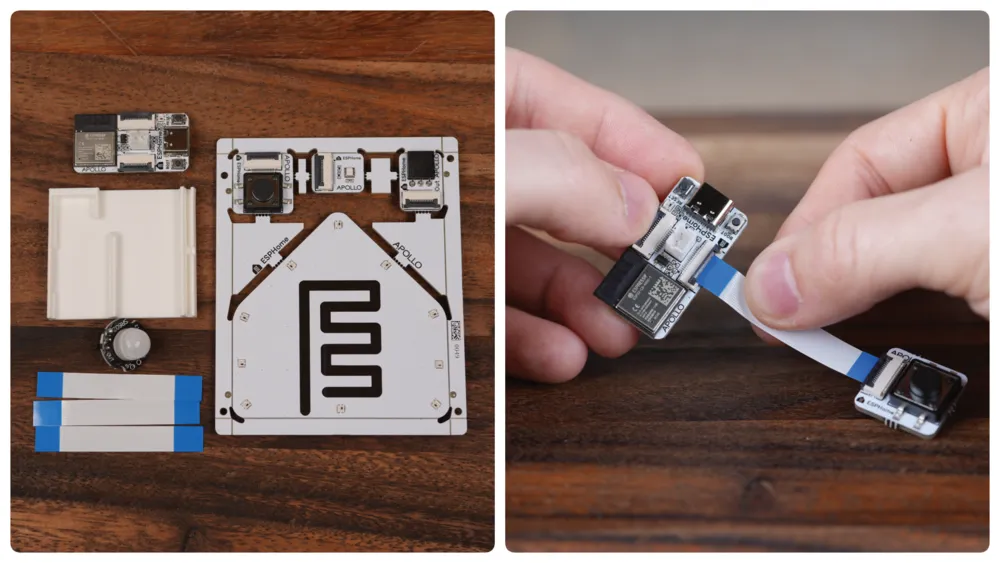
And because every module connects the same way, they’re completely interchangeable: pop one off, snap the next one on, install new software on your ESP microcontroller, and you’ve got a different device.
This kit is designed to be experimented with. You can reconfigure it as your ideas grow, and adapt it as you learn, so the same hardware carries you from your very first project to your tenth. Each build works as a standalone device right away, and if you find yourself ready to explore more complex automations, it drops straight into Home Assistant.
A kit for keeps
Section titled “A kit for keeps”Most learning kits end up the same way: forgotten in a drawer. But Apollo Automation co-founders Trevor Schirmer and Justin Bunton had other ideas: they wanted to create something sustainable that helped more people experience the joy of building, and left them with devices that remained useful long after the basics had clicked.
That’s why every module in the ESPHome Starter Kit becomes a custom, working smart home device: the kind you can’t buy off the shelf. Shaped by you to fit your home and habits, each device becomes yours in every sense – run locally with no cloud dependency, so your data stays in your home instead of on someone else’s server. And it’s easier than you might think…
One of the core requirements for the kit was that you had something useful at the end. One of the foundation’s principles is sustainability. So, this isn’t something that you just buy, learn, and then put in a drawer or the trash never to be seen again. You can make real usable products out of this at the end. … For example, you could use the motion module to turn on the lights when somebody walks into your room, or you could use the ESPHome-shaped LEDs to turn red when you’re in a meeting, letting others in your home know…
— Trevor Schirmer, Co-Founder of Apollo Automation
Your trusty guide…
Section titled “Your trusty guide…”The Starter Kit comes with two tools that guide you every step of the way, from your very first setup to your most ambitious projects.
The first is the Learning Wiki: more than assembly instructions, it explains the why behind each step, showing how your components connect to the code that runs them. This means you’re not just following a recipe – you’re picking up the fundamentals of electronics and device building, one project at a time. By the end, you’ll have the skills and the confidence to take on bigger builds of your own.
…and a revamped visual builder
Section titled “…and a revamped visual builder”The second is our ESPHome Device Builder, recently updated to help make ESPHome more approachable for all – no matter if you’ve been with us for years or if this is the first time you hear about ESPHome. Its intuitive interface lets you configure everything without writing a line of code, though the YAML’s always there underneath, should you want it.
Best of all, it runs right on your desktop through our app, so you can start building with whatever you already have. And once you’ve nailed the basics, you can still use the Device Builder to help you go further – whatever you decide to build next.
Three things to try with the ESPHome Starter Kit
Section titled “Three things to try with the ESPHome Starter Kit”As its name suggests, the Starter Kit is just the beginning. Once you’ve made your modules, you can connect them to just about any automation you like – for example:
- Set your button to close the blinds: Press the button and your blinds glide shut, no hunting for a remote. Perfect for movie nights or shutting out the afternoon glare.
- Set your motion sensor to detect visitors: Place it by the front door or driveway and be notified the moment it senses movement, so you’re never caught off guard.
- Set your temperature monitor to manage the heating: Choose your ideal range and let the sensor keep watch, adjusting automatically if a room gets too warm or cool.
The possibilities are almost endless, with plenty more to discover as your ideas grow, and a community of experienced ESPHome users to talk to for inspiration.
Join the community
Section titled “Join the community”On the subject of community, half the fun of building something is sharing it with others. When you start using the kit, you join thousands of other makers using ESPHome. Come say hello on the ESPHome Discord server to swap ideas and show off what you’ve built, or drop into our ESPHome forum to ask questions and find your feet. And if you have thoughts about what Apollo Automation should build next, you can share them on the Apollo Automation Discord server!
Ready, set, start
Section titled “Ready, set, start”Keen to get your kit? Head to the ESPHome Starter Kit site to grab your gear today. The majority of profit from every kit goes straight to the Open Home Foundation, meaning every purchase helps fund the future of ESPHome, Home Assistant, and Music Assistant, and the other projects working to make smart home tech accessible to all. We can’t wait to see what you create!
Comments