

SSD1331 OLED Display
The ssd1331_spi display platform allows you to use
SSD1331 (datasheet,
Adafruit)
displays with ESPHome. This component is for displays that are connected via the 4-Wire SPI bus.
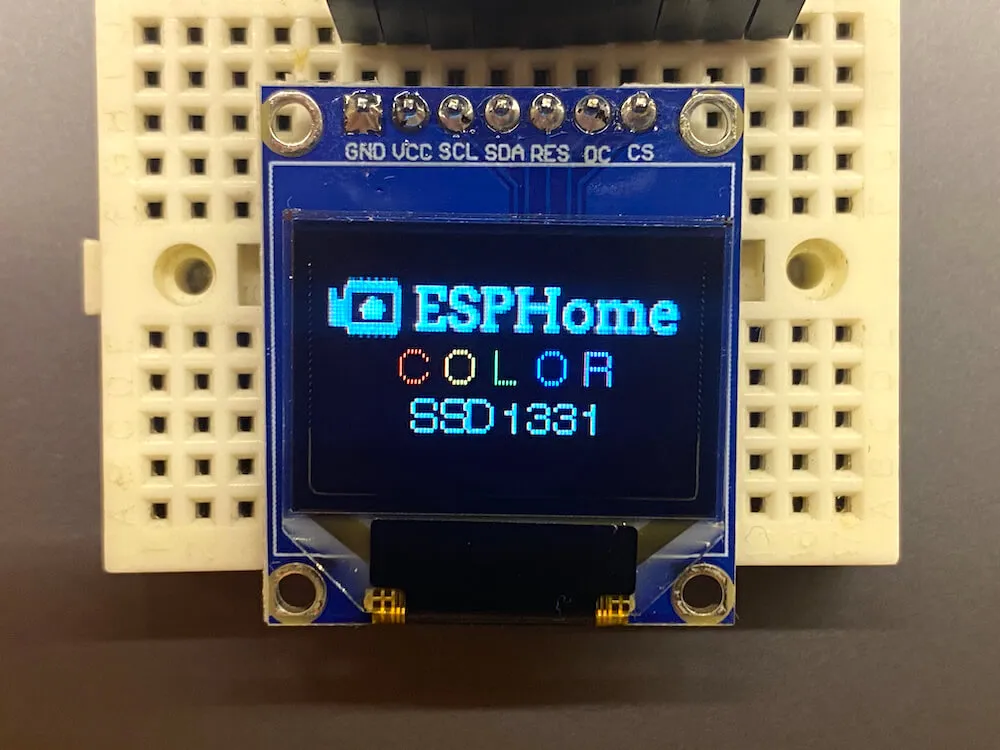
Connect CLK (CK), MOSI (SI), CS (OC), DC, and RST (R) to pins on your ESP. For power, the Adafruit modules
require 5 volts connected to their + pin. Connect the GND or G pin to ground.
# Example configuration entryspi:  clk_pin: D5  mosi_pin: D7
display:  - platform: ssd1331_spi    reset_pin: D0    cs_pin: D8    dc_pin: D1    lambda: |-      it.print(0, 0, id(font), "Hello World!");
Configuration variables
Section titled “Configuration variables”-
dc_pin (Required, Pin Schema): The DC pin.
-
reset_pin (Optional, Pin Schema): The RESET pin.
-
cs_pin (Required, Pin Schema): The pin on the ESP that the CS line is connected to. If this is the only device on the SPI bus, the display’s CS line can be tied to GND instead; the option is still required, so give it a spare GPIO that is left unconnected.
-
lambda (Optional, lambda): The lambda to use for rendering the content on the display. See Display Rendering Engine for more information.
-
update_interval (Optional, Time): The interval to re-draw the screen. Defaults to
5s. -
pages (Optional, list): Show pages instead of a single lambda. See Display Pages.
-
id (Optional, ID): Manually specify the ID used for code generation.
Configuration examples
Section titled “Configuration examples”You may wish to add a color: section to your YAML configuration to make using colors easier; please see
color for more detail on this optional configuration section.
color:  - id: my_red    red: 100%    green: 3%    blue: 5%
...
display:    ...    lambda: |-      it.rectangle(0,  0, it.get_width(), it.get_height(), id(my_red));
To bring in color images:
image:  - platform: file    file: "image.jpg"    id: my_image    resize: 96x64    type: RGB
...
display:    ...    lambda: |-      it.image(0, 0, id(my_image));